

Style reference
PYLVEX / Photo looks & filters
Turn any portrait or pet photo into a cute chibi character in one click with auto-filled presets and instant before/after preview.
HOW IT WORKS
Click any built-in sample to auto-fill photo and prompt, or drop your own image.
Aspect ratio, style preset, and prompt are pre-filled for this tool—tweak only if you want.
Compare before/after and export high-resolution outputs without leaving this page.
READY-TO-USE EXAMPLES
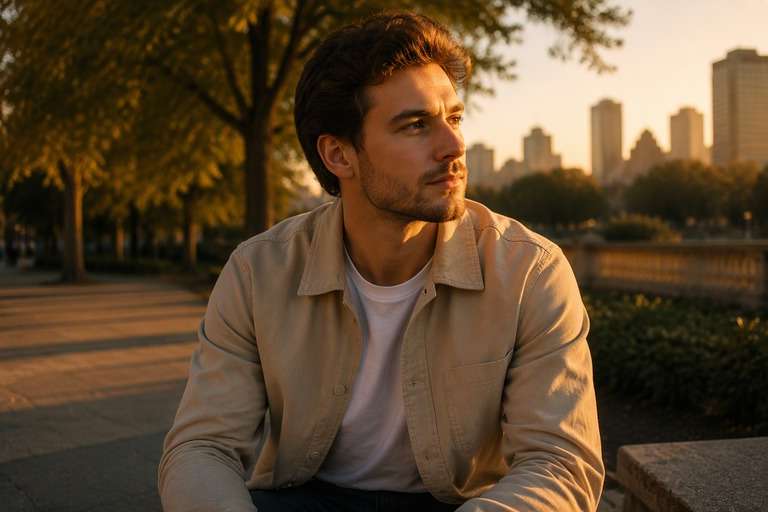
Photo to Chibi ships with tuned defaults and 1-click starter samples so you get strong results on your first try.
Upload, compare before/after, track progress, and download high-res results right here without jumping across pages.
See exact credit cost before confirming. Uploaded sources and generated results stay private to your account.
FAQ
No. Photo to Chibi comes with an auto-filled preset and 1-click starter samples. Pick a sample or upload your file, keep the default settings, and generate immediately.
Everything happens inside a single workspace: upload or pick a sample on the left, compare before/after or inspect your preview on the right, and review exact credit quotes before submitting.
Yes. Local files stay in your browser while previewing, and submitted assets are stored in private account storage. Exact credit cost is shown before any charge.
Images support JPG, PNG, and WebP up to 12 MB. Videos support MP4 and MOV up to 98 MB. Generated images export up to 4K depending on the selected tool.
Yes. On mobile screens the before/after preview, 1-click samples, upload box, and generate action stay stacked in a compact single-column flow.